
Pianista
PianistaCompanyMusic
3.61.13K Reviews
- Version
- 2.4.5
- Installs
- 1.00M
- Age Rating
- Everyone
Screenshots
Our Review of Pianista
 Analysis by Appyee
When I choose a music game, I first ask what I want from it: a quick rhythm challenge, a way to explore piano repertoire, or practical lessons that transfer to an instrument. Those are different goals, and Pianista makes most sense when I want the first two in a phone-friendly format. Its appeal is the feeling of following musical notes under pressure, rather than a promise that tapping a screen will replace piano practice.
That distinction helps set expectations. A rhythm game can sharpen attention and timing within its own rules, but it is not the same as learning hand position, reading notation for a keyboard, or building technique on weighted keys. If I were shopping for structured piano instruction, I would look at a dedicated learning app or a real instrument alongside lessons. If I wanted a music-centered game for a short break, this is a more natural fit.
Choosing the right kind of music game
There are plenty of ways to spend time with music on a phone: rhythm games, instrument-learning tools, and streaming apps all serve different moods. Pianista sits in the game category, specifically on the music side, and that matters. I approach it as an interactive challenge, not as a catalog for passive listening or a course with a guaranteed path to playing piano.
The decision is also about how I like to engage. A rhythm game asks me to watch, anticipate, and respond; a lesson app tends to ask for slower repetition and deliberate instruction. Someone who enjoys improving a score through focused attempts may find the game loop satisfying. Someone who wants to learn a particular song at an instrument should choose a tool built around that goal instead.
Where it earns a place in my routine
The strongest use case is a short session when I want something more involving than scrolling but less demanding than setting up a full practice session. I can imagine opening it while waiting for a friend, playing a piece or two, then putting the phone away without needing a piano nearby. That convenience is a real advantage for a game built around musical timing.
It can also work for a listener who wants to pay closer attention to musical phrases. Following notes in a rhythm game makes me focus on entrances and timing rather than letting a song pass in the background. That is not formal ear training, but it can make familiar music feel more active. I would treat that as a small bonus, not a substitute for a music lesson.
For a fair trial, I would begin with an easier selection and play long enough to learn how the game expects me to respond before judging my ability. A rough first attempt may reflect unfamiliar controls more than a lack of musical instinct. Once the timing feels comfortable, I would raise the challenge gradually; pushing too quickly can turn a musical session into a test of frustration rather than an enjoyable game.
Cost, access, and the trade-off
The game is free to install, with optional in-app purchases priced from $0.99 to $89.99 per item. I would start without buying anything and decide whether the core experience suits me first. That approach is especially sensible for a casual player: a purchase only makes sense if it removes a specific limitation or adds something I genuinely want, not simply because the game presents an option.
Pianista is made by PianistaCompany, has an Everyone content rating, and has been available since July 5, 2017. Its current version is 2.4.5, and it requires Android 9 or later. Those details make it easier to judge whether it fits a device and household, while the free entry point keeps trying it low-commitment. The game has a 3.6 average from around 25,000 ratings, alongside roughly 1,100 written reviews and over a million installs: that is a sizable audience, but the average is a reminder that it will not suit every player equally.
One practical trade-off is attention. Because the play depends on reacting at the right moment, I would choose a calm setting and a comfortable grip rather than trying to play while walking, talking, or doing something else. If I only have a few seconds and cannot focus, a music player is more useful; if I can give the screen my attention, the game has a clearer purpose.
A closer look at the experience
Hey there, fellow music enthusiasts! So, I recently got my hands on this intriguing app called Pianista, and I’ve got to say, it’s like having a mini orchestra right in your pocket. Whether you’re a seasoned pianist or just a curious newbie, this app offers something for everyone. Let’s dive into the melodious world of Pianista and see what it has to offer.
First Impressions
From the moment I launched the app, I was greeted by an interface that’s both sleek and inviting. The developers clearly put some thought into making it user-friendly. It’s like walking into a well-organized music room where everything is in its place, ready for you to explore.
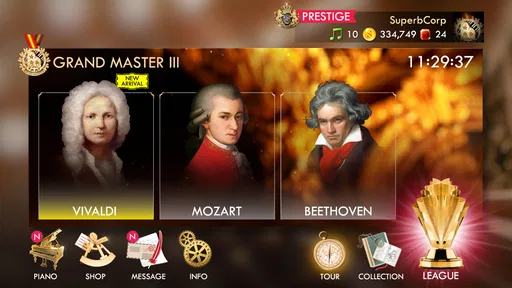
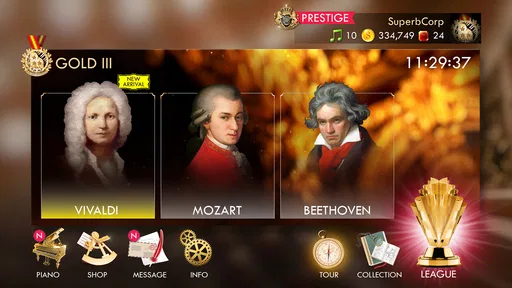
The home screen features a variety of options, from classic compositions to modern hits. The navigation is pretty straightforward, making it easy to jump right into your first song. I appreciated how it didn’t feel overwhelming, which is often a problem with music apps that try to do too much at once.
Gameplay and Features
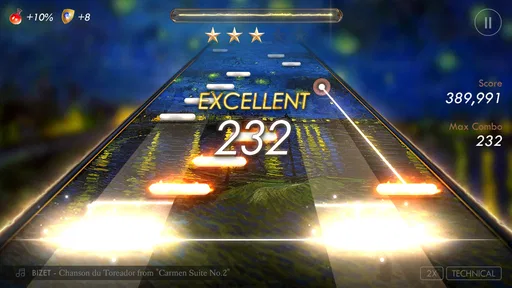
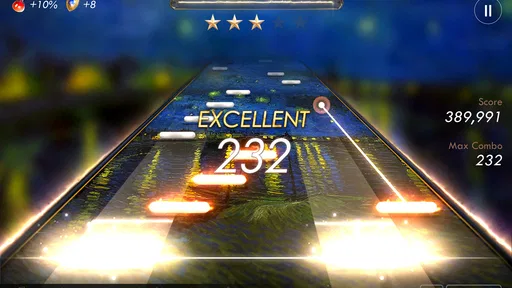
Now, let’s talk about the gameplay. Pianista is essentially a rhythm game that challenges you to hit notes as they scroll down the screen. It’s like playing a real piano, but without the hefty price tag or the need for a dedicated music room.
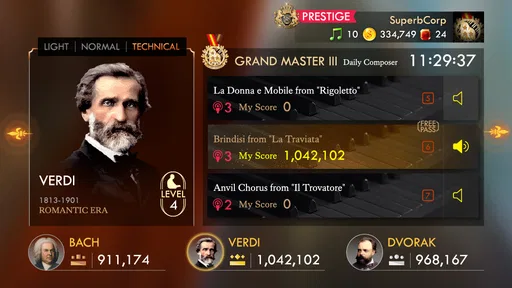
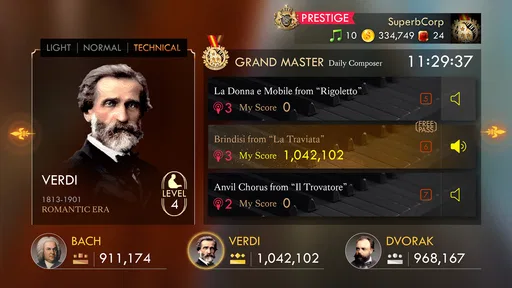
The game offers multiple difficulty levels, ensuring that both beginners and advanced players can enjoy the experience. Personally, I started on the easier levels to get a feel for the game mechanics, and I found the progression to be quite satisfying. Each completed piece earns you points and rewards, which adds a nice competitive edge to the whole experience.
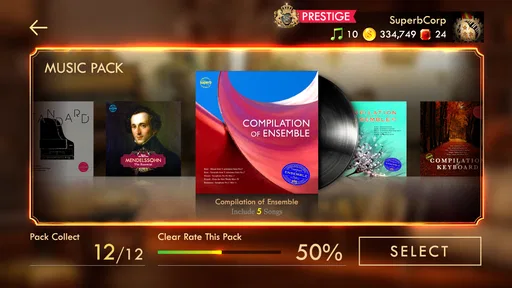
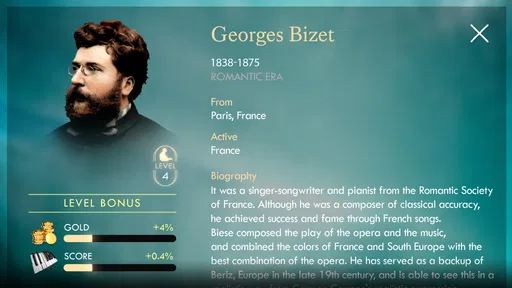
One of the standout features is the extensive library of music. You can play anything from Beethoven’s classics to modern pop hits. The variety keeps things fresh and exciting, and there’s always something new to discover. Plus, the app regularly updates its song list, so you’ll never run out of tunes to master.
Graphics and Sound
Visually, the app is a treat. The graphics are crisp and vibrant, which makes playing even more enjoyable. It feels like a high-end game, but one that’s completely focused on the music experience. The animations are smooth, and the color schemes are easy on the eyes, allowing you to focus on the music.
Sound quality is top-notch, which is crucial for a music app. The notes are clear and resonate well, creating an immersive experience that’s as close to playing a real piano as you can get on a mobile device. I found myself getting lost in the music more than once, which is always a good sign.
User Experience and Community
The app also fosters a strong sense of community. There’s an option to connect with friends and compete against them, which adds a fun social element. You can share your scores and achievements, motivating each other to reach new heights. It’s like having a digital piano club right at your fingertips.
I also appreciated the tutorial section, which is great for newbies. It’s comprehensive and walks you through the basics, ensuring you’re not left fumbling with the keys. For those looking to improve their skills, there are plenty of practice modes and challenges to keep you on your toes.
Making a decision that fits
For a first-time player, I would keep the early sessions simple: choose a comfortable difficulty, focus on the visual rhythm, and resist the urge to treat every missed note as a verdict on musical ability. The useful question is whether I enjoy learning the game’s timing and returning to a piece to improve. If that process feels rewarding, its score-and-reward loop has a reason to keep me engaged; if I mainly want to hear songs, a streaming app is a better match.
It is also worth separating competition from practice. Comparing results with friends can make a familiar piece more exciting, but score-chasing can pull attention away from the music itself. I would use friend challenges as an occasional extra, not as the only reason to play. For a player who prefers private, relaxed sessions, the game can still be worthwhile without turning every attempt into a contest.
Questions I would settle before committing
Would I recommend it to someone who has never played piano? Yes, if they want a rhythm game with a musical theme and understand that it does not teach instrument technique. Would I recommend it to someone who already plays? It may be a fun change of pace, but it should not replace time at the keyboard, because tapping notes on a screen does not reproduce the touch or coordination of a piano.
Is it suitable for a younger player? Its Everyone content rating makes it broadly suitable by age classification, though I would still consider the optional purchases and set household expectations around spending. Is it worth paying for? I would only decide after trying the free experience and identifying a clear reason to buy; the wide range of purchase prices makes a cautious, need-based choice more sensible than spending on impulse.
Final Thoughts
All in all, Pianista is a fantastic app for anyone who loves music and gaming. It combines the best of both worlds, delivering an experience that’s entertaining and educational. Whether you’re looking to kill some time or seriously improve your piano skills, this app has got you covered.
So, if you haven’t already, give Pianista a try. It’s free to download, so there’s nothing to lose, and a whole lot of music fun to gain. Happy playing!
My recommendation
My recommendation is to try it when I want an active, focused music break and to judge it on the rhythm-game experience, not on whether it turns me into a pianist. The easier starting point, range of repertoire, and option to compare scores give different kinds of players a way in, while the free install lets me test that fit before considering any purchase.
I would skip it if my main aim were formal piano lessons, hands-on instrument technique, or uninterrupted listening. I would also choose another kind of game if I wanted a more casual experience that does not ask for steady visual attention. For everyone else, Pianista is an approachable music game with a clear niche: it makes musical timing the activity, and it is most enjoyable when that is exactly what I came for.
Verdict
Strengths of Pianista
- Engaging rhythm gameplay keeps you hooked.
- Beautifully crafted classical music tracks.
- Intuitive controls make it easy to play.
- Regular updates with new songs added.
- Stunning visuals and smooth animations.
Limitations of Pianista
- Requires constant internet connection.
- In-app purchases can be pricey.
- Limited free content initially available.
- High device storage requirement.
- Advertisements can interrupt gameplay.
Similar Picks in This Category
View All
Tiles Hop Music & Ball Game
AMANOTES PTE. LTD.4.3

Magic Tiles 3™ - Piano Game
AMANOTES PTE. LTD.4.6

Real Piano
Bilkon3.7

Piano Game: Classic Music Song
Dream Tiles Piano Game Studio4.0

Smash Colors: Music Ball Rush
BADSNOWBALL HONGKONG LIMITED4.2

Piano Music Go-EDM Piano Games
Joy Journey Music Games4.5
Frequently Asked Questions
What is Pianista, and how does it work?
Pianista is a rhythm-based music game available for Android and iOS that allows players to tap along to classical and modern piano pieces. Users must accurately hit notes as they scroll across the screen, matching the rhythm and tempo of the music. The game offers various difficulty levels and tracks to challenge players of all skill levels.
Is Pianista free to play, or are there in-app purchases?
Pianista is free to download and play, but it includes in-app purchases. These purchases can enhance the gaming experience by offering additional songs, coins, or other premium content. While you can enjoy the game without spending money, some features and tracks may require purchase to unlock.
What features does Pianista offer to enhance gameplay?
Pianista offers several features to enhance the gaming experience, including a wide selection of classical and modern music tracks, multiple difficulty levels, and performance modes. Players can also engage in competitions against others or improve their skills in practice mode. The game’s rich graphics and intuitive controls further enrich the experience.
Does Pianista require an internet connection to play?
Pianista does not require a constant internet connection to play the basic game modes. However, an internet connection may be necessary for certain features like downloading new tracks, participating in online competitions, or accessing leaderboards. Playing offline may limit some of these interactive aspects.
Are there any accessibility features in Pianista for players with disabilities?
Pianista includes some accessibility features to assist players with disabilities. These may include adjustable difficulty settings, visual cues, and customizable control options. While these features enhance accessibility, users should explore the game’s settings to tailor their experience to their specific needs, ensuring a more inclusive gaming environment.
Play our best games!


